No need to launch ComfyUI.
Right-click any image or video in Explorer, copy the prompt or open the full info window instantly. Never leave your file browser just to retrieve a prompt.
Extract prompts, model info, and generation parameters from AI images and videos — directly from Windows Explorer. No need to open ComfyUI. No node graphs. Just the data.
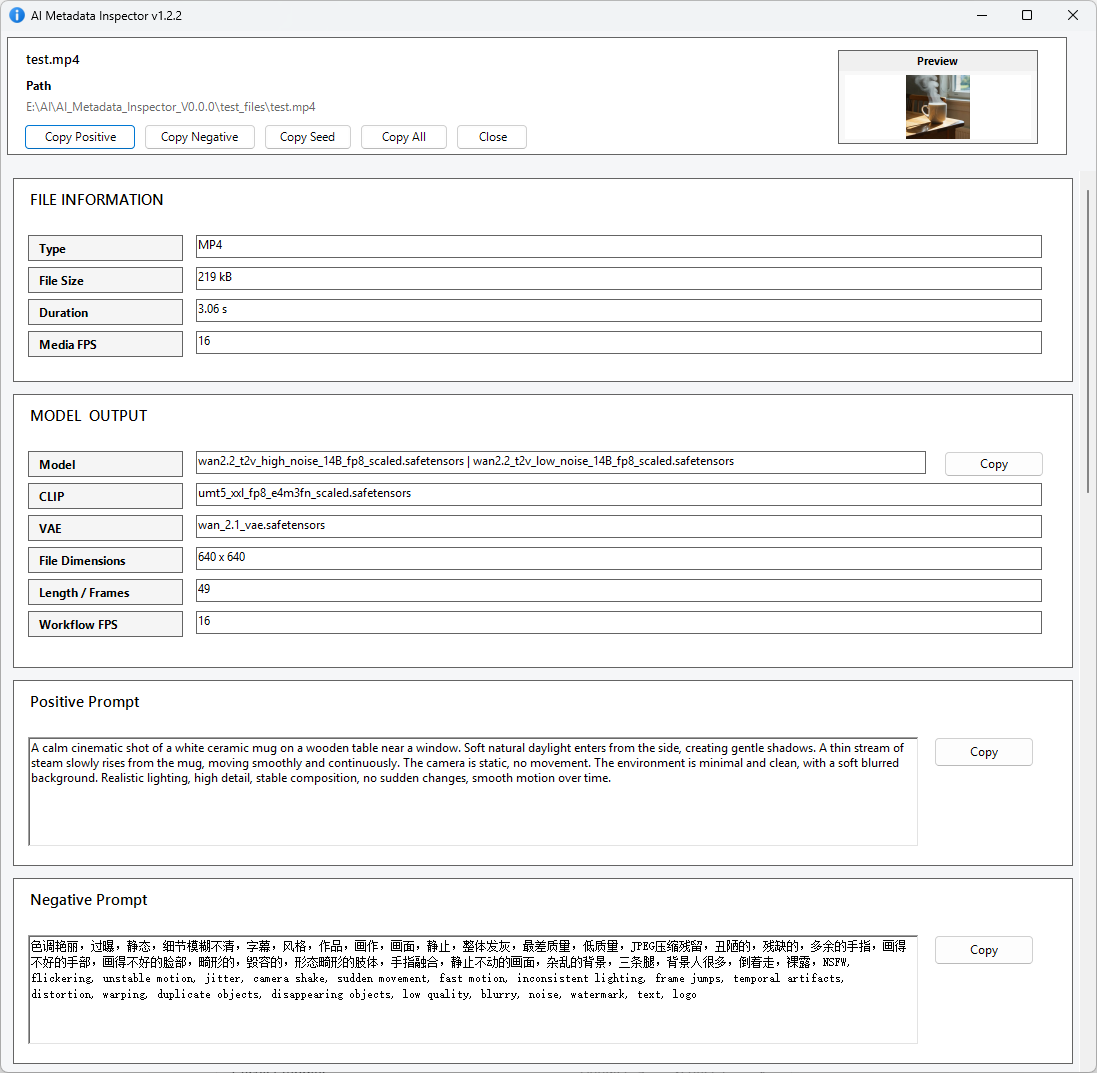
Right-click any image or video in Explorer, copy the prompt or open the full info window instantly. Never leave your file browser just to retrieve a prompt.
Copy positive or negative prompt directly from the context menu. Fast path that skips the info window entirely — ideal when you just need the text and nothing else.
Get a compact, readable view of prompts, seeds, models, sampler passes, and file data. All the information you need, without the complexity of a node editor.
Works with PNG files (ComfyUI prompt JSON, A1111 metadata) and MP4 files (ComfyUI workflow JSON, multi-sampler workflows from WAN pipelines).
Detects multiple sampler passes automatically and displays each one clearly. Works with advanced linked-node workflows and complex ComfyUI pipelines.
Export all frames from any MP4 as lossless PNG using bundled FFmpeg. Configurable output location, smart cleanup, and a cancel button — no extra installs needed.
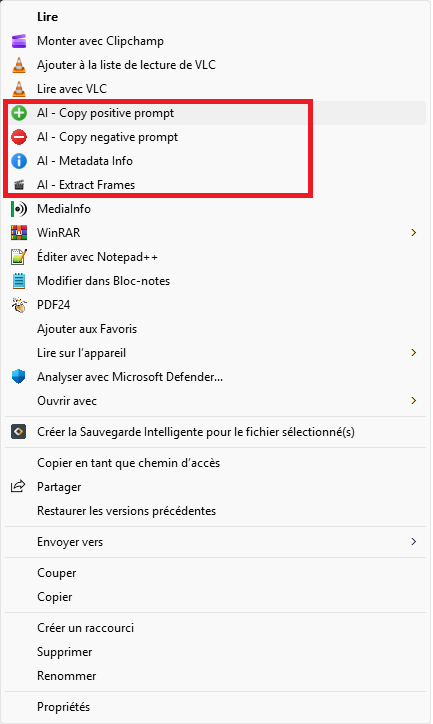
Access all features directly from the Windows Explorer context menu. Copy positive prompt, copy negative prompt, open the full info window, or extract MP4 frames — without launching any app.
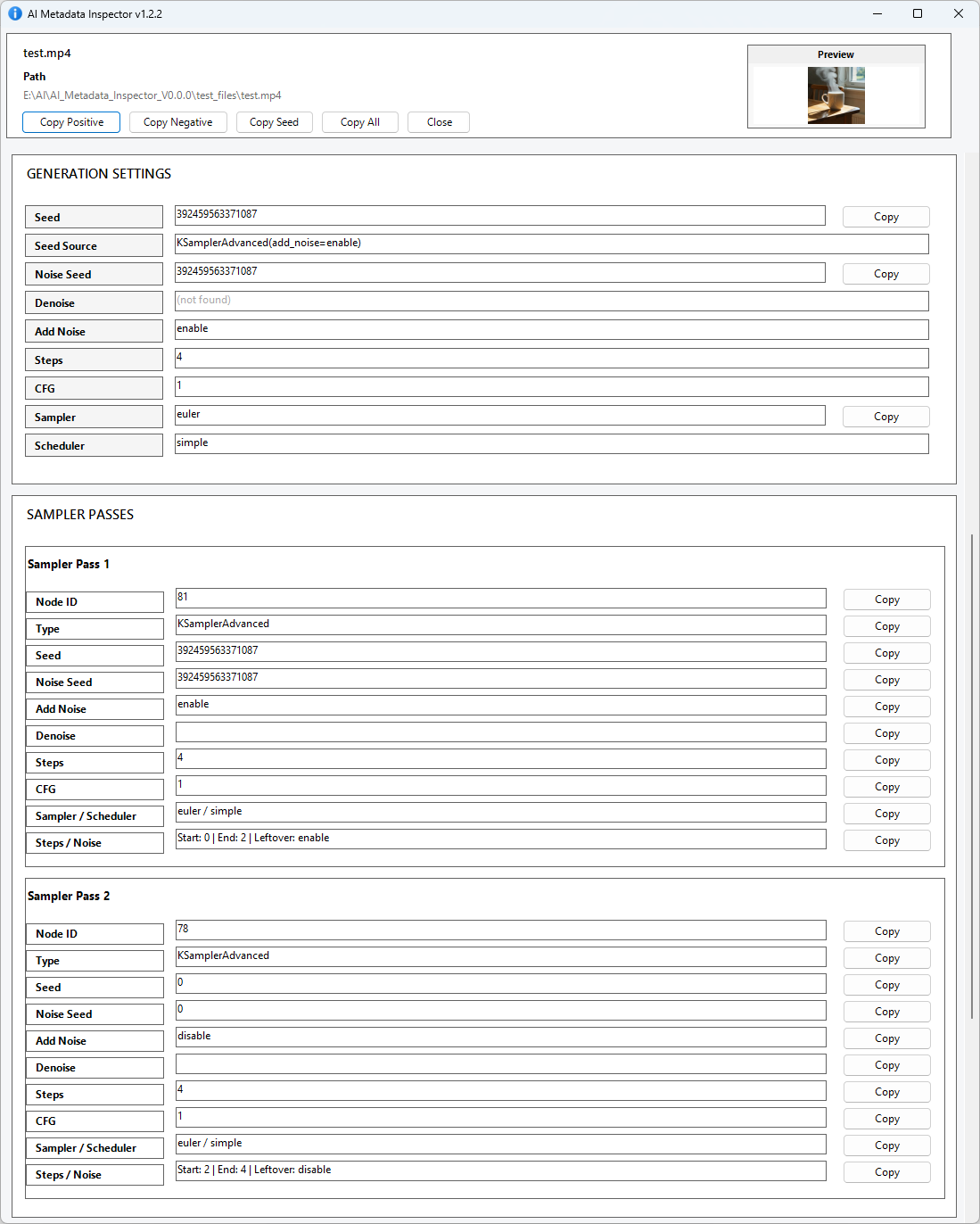
Full breakdown of seed logic, sampler configuration, model and output data, detected metadata sources — all in a clean, compact window. Think of it as MediaInfo for AI-generated content.
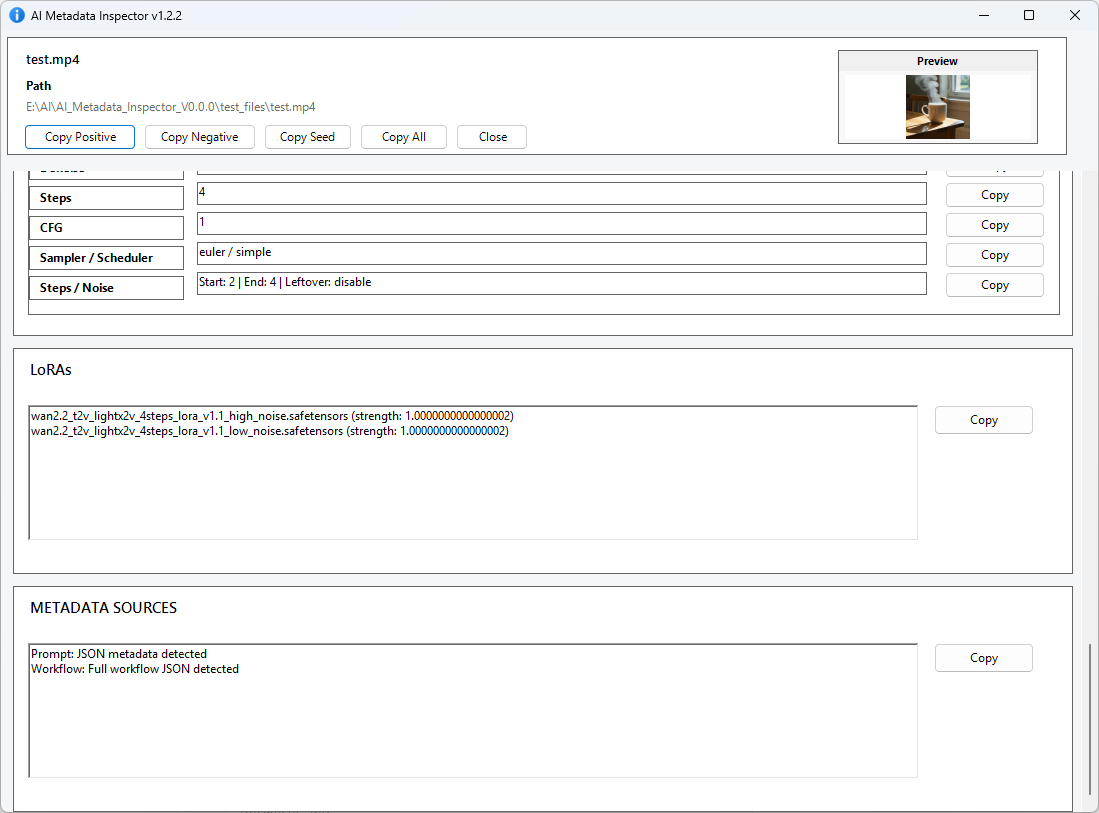
Complex ComfyUI workflows with multiple sampler passes are detected automatically and displayed clearly — each pass with its own seed, denoise, model, and sampler settings.
Extracts embedded generation metadata directly from the file — no sidecar files, no database.
install_context_menu.batThis tool is free and built in my spare time. If it saves you time browsing your AI generations, a coffee is always appreciated.
Buy me a coffee